

Storage Profiles
Storage profiles abstract away the details of where and how VM disks are stored. Similar to storage policies in VMware vSAN or storage classes in Kubernetes, they provide a consistent storage experience across zones, even when the underlying Proxmox storage pools differ from one cluster to another.
Understand storage profiles
A storage profile has three components:
- A name: a human-readable label like "Standard", "Performance", or "Archive".
- Zone-to-pool mappings: which Proxmox storage pool to use in each zone.
- I/O limits: read and write throughput caps in MB/s.
This design solves a real problem: your Frankfurt cluster might have NVMe storage pools named nvme-pool, while your Helsinki cluster has the same hardware but named ssd-fast. Without storage profiles, users would need to know the pool names per zone. With profiles, they just pick "Performance" and the orchestrator resolves the correct pool for the target zone.
Map zones to storage pools
Navigate to Platform > Storage Profiles in the portal. Here you can create, view, and delete profiles.
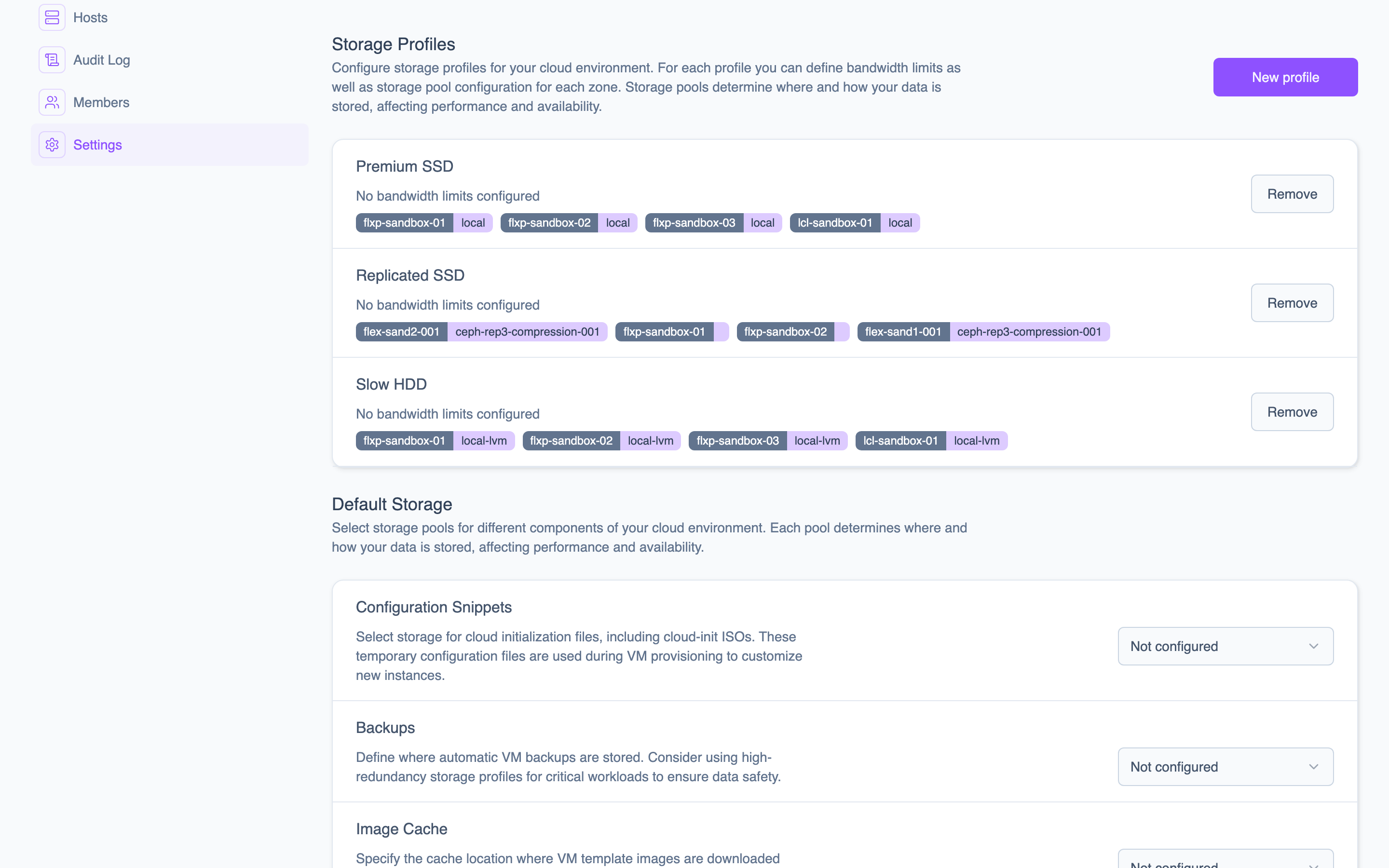 The Storage Profiles page shows all profiles with their zone-to-pool mappings and I/O limits.
When creating a profile, you specify a name, the zone-to-pool mappings, and optional read/write I/O limits.
Default storage configuration
In addition to storage profiles for VM disks, you can configure which pools are used for backups, images, and ISOs under Platform > Default Storage. See Configure Default Storage for details.
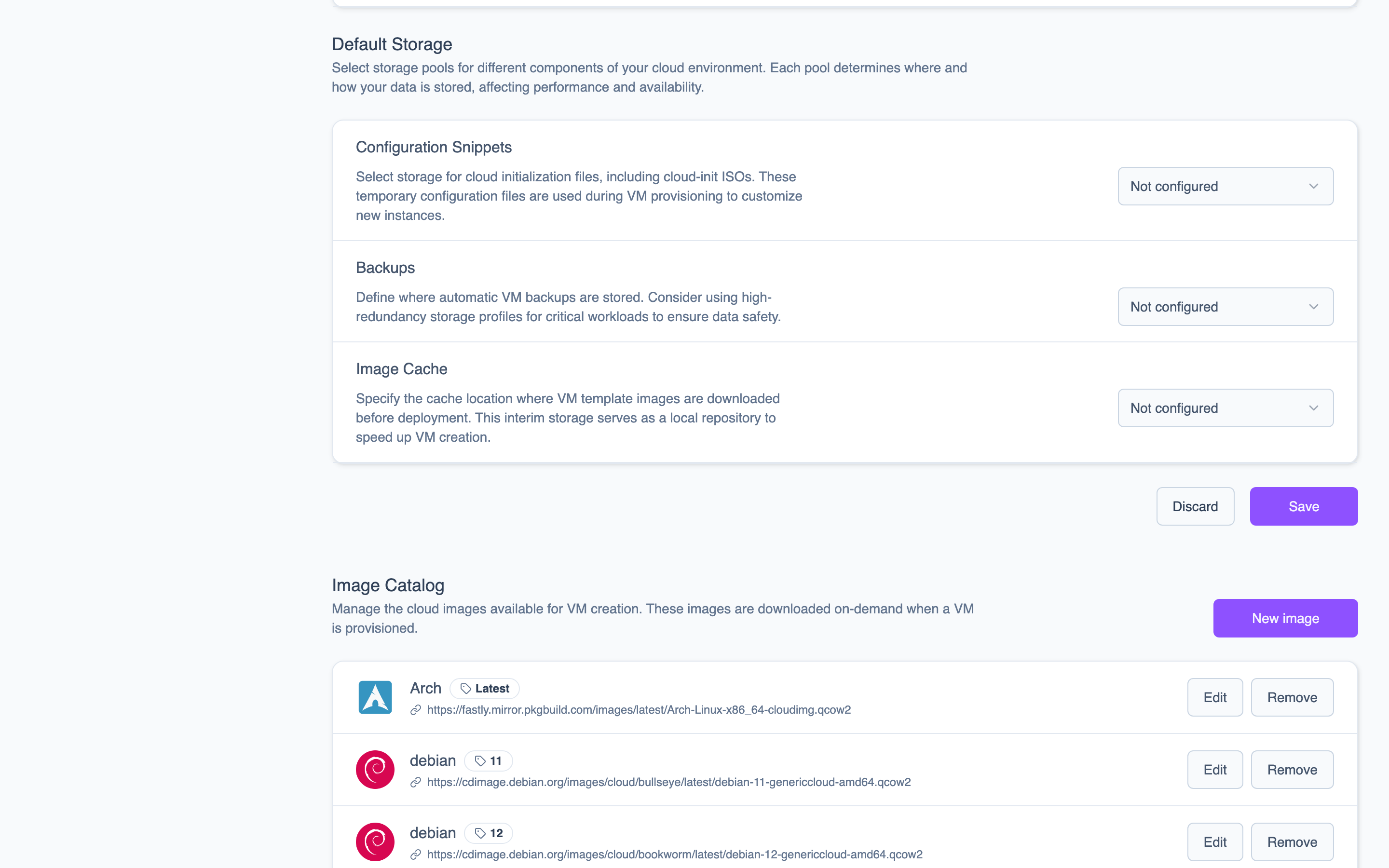 The Default Storage page lets you select the Proxmox storage pool for each category.
Apply I/O limits
I/O limits cap the read and write throughput for VM disks assigned to a storage profile. Values are specified in MB/s.
| Profile | Read Limit | Write Limit | Typical Use Case |
|---|---|---|---|
| Performance | 500 MB/s | 400 MB/s | Databases, high-throughput workloads |
| Standard | 200 MB/s | 150 MB/s | General-purpose VMs |
| Economy | 50 MB/s | 30 MB/s | Dev/test, archival workloads |
I/O limits are applied at the Proxmox level as disk throttling parameters. This ensures that no single VM can saturate the storage backend, providing fair access across all VMs sharing the same pool.
Storage profiles work alongside compute profiles when creating VMs. Together, they define the complete resource allocation for a virtual machine: CPU, memory, disk location, and disk performance.
Compute Profiles
Named vCPU and memory combinations that standardize VM sizing. Define profiles like Small, Medium, and Large to simplify provisioning, capacity planning, and billing.
Networking
Virtual networks backed by Proxmox Linux bridges, automatic IP assignment, edge gateways with firewall rules, and a WireGuard-based mesh overlay for secure inter-node communication.