

Register a Node
Adding a new Proxmox node to flex.plane is a three-step process: generate a join token from the platform, install the flexplane-agent on the node, and verify that it has connected successfully. Once registered, the node appears in its zone and is ready to host VMs.
Generate a join token
Join tokens are generated by the orchestrator and contain everything the agent needs to connect to the mesh network and register itself with the platform.
Via the portal:
- Navigate to Platform > Hosts.
- Click Register Host.
- Copy the generated token and the install command.
The token is single-use and time-limited. Generate a new one for each node you want to register.
Install the agent
SSH into the Proxmox node and run the install command provided by the portal. The general process is:
- Download the flexplane-agent binary for your platform.
- Place it in
/usr/local/bin/flexplane-agent. - Create the configuration file at
/etc/default/flexplane-agentwith the join token and control URL. - Enable and start the systemd service.
The agent will:
- Connect to the Headscale/Tailscale mesh network.
- Register itself with the orchestrator.
- Begin acting as an authenticating proxy for the local Proxmox API.
- Report its version and health status.
Verify registration
After the agent starts, verify that the node appears in the platform:
Via the portal:
Navigate to Platform > Hosts. The new node should appear within a minute with an online status and agent version information.
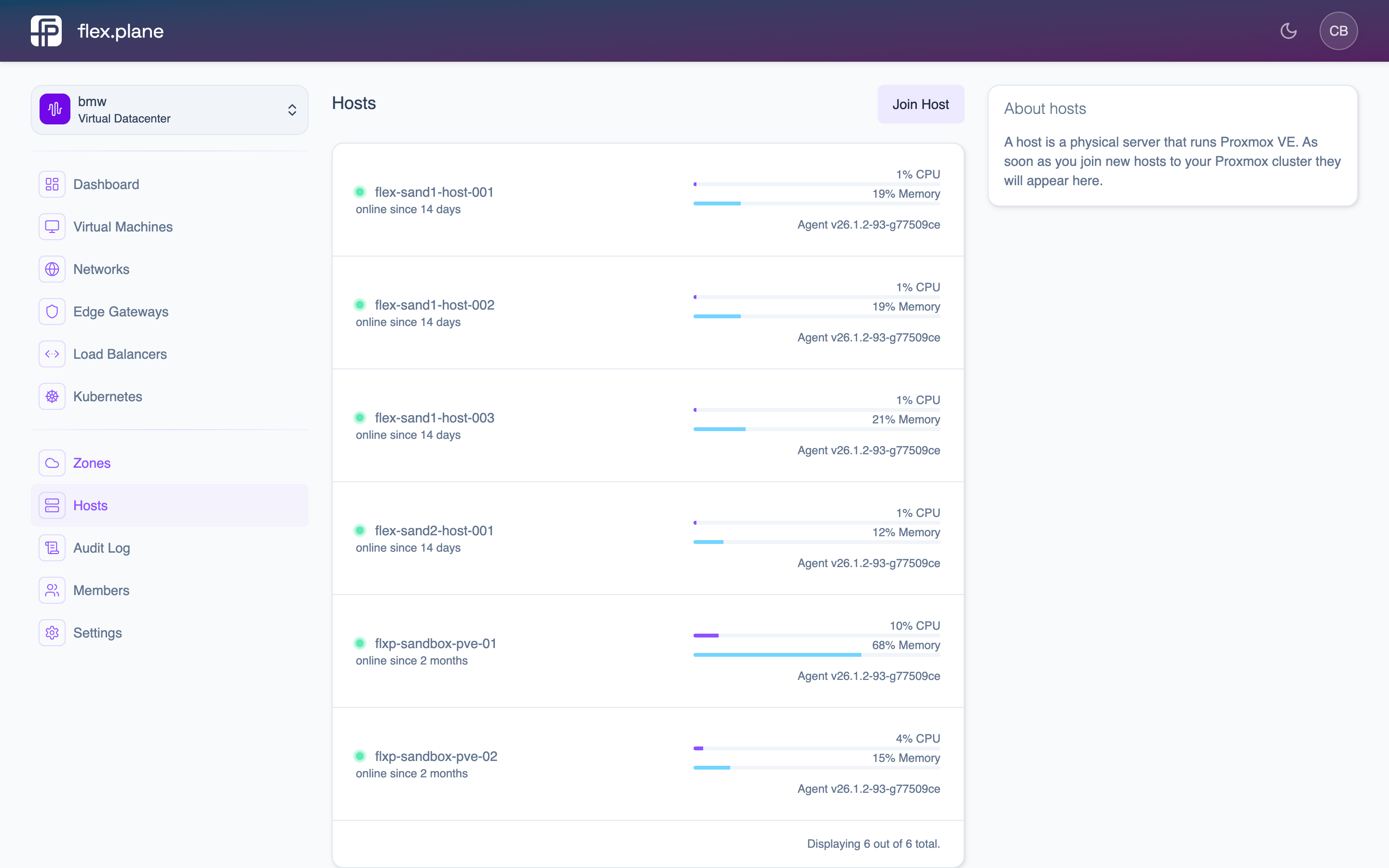 The Hosts page shows all nodes with their status, zone, and agent version.
If the node does not appear:
- Check the agent logs:
journalctl -u flexplane-agent -f - Verify the mesh connection:
tailscale status(or the equivalent for your mesh setup). - Confirm the join token has not expired.
- Ensure the node can reach the Headscale control server.
Once the node is online and the agent is reporting, it is automatically discovered by the orchestrator and added to the appropriate zone based on its Proxmox cluster membership.