

Agent Installation
The flexplane-agent runs on each Proxmox node. It acts as an authenticating reverse proxy for the Proxmox API, manages OS image staging, handles edge gateway operations, and enrolls the node into the Tailscale/Headscale mesh network.
Download the agent
The agent is distributed as a standalone binary. Download it from the container registry or build it from source:
# Download the agent binary for your platform
curl -L -o /usr/local/bin/flexplane-agent \
  https://github.com/zeitlos/flex.plane/releases/download/<version>/flexplane-agent-linux-amd64

chmod +x /usr/local/bin/flexplane-agent
Configure the environment
The agent reads its configuration from environment variables, typically stored in /etc/default/flexplane-agent:
# /etc/default/flexplane-agent

# Tailscale auth key for mesh enrollment
AUTH_KEY=tskey-auth-xxxx

# Headscale control URL (the orchestrator's Headscale endpoint)
CONTROL_URL=https://flexplane.example.com:9090
| Variable | Description | Required |
|---|---|---|
AUTH_KEY | Tailscale/Headscale authentication key for enrolling this node into the mesh network | Yes |
CONTROL_URL | URL of the Headscale control server running in the orchestrator | Yes |
Generate an auth key
Auth keys are generated through the orchestrator. In the portal, navigate to Platform > Hosts and click Register Host to generate a new auth key. Use this key in the agent's configuration.
The key is single-use and time-limited. Generate a new one for each node you want to register.
Start the service
Create a systemd service unit for the agent:
# /etc/systemd/system/flexplane-agent.service
[Unit]
Description=flex.plane Agent
After=network.target pve-cluster.service

[Service]
Type=simple
EnvironmentFile=/etc/default/flexplane-agent
ExecStart=/usr/local/bin/flexplane-agent
Restart=always
RestartSec=10

[Install]
WantedBy=multi-user.target
Enable and start the service:
systemctl daemon-reload
systemctl enable flexplane-agent
systemctl start flexplane-agent
Check the logs:
journalctl -u flexplane-agent -f
You should see the agent enrolling with the Headscale control server and starting its gRPC API.
Verify connectivity
Once the agent is running, verify that the node is visible to the orchestrator:
- Check mesh enrollment. Navigate to Platform > Hosts in the portal. The new node should appear with
onlinestatus and agent version information.
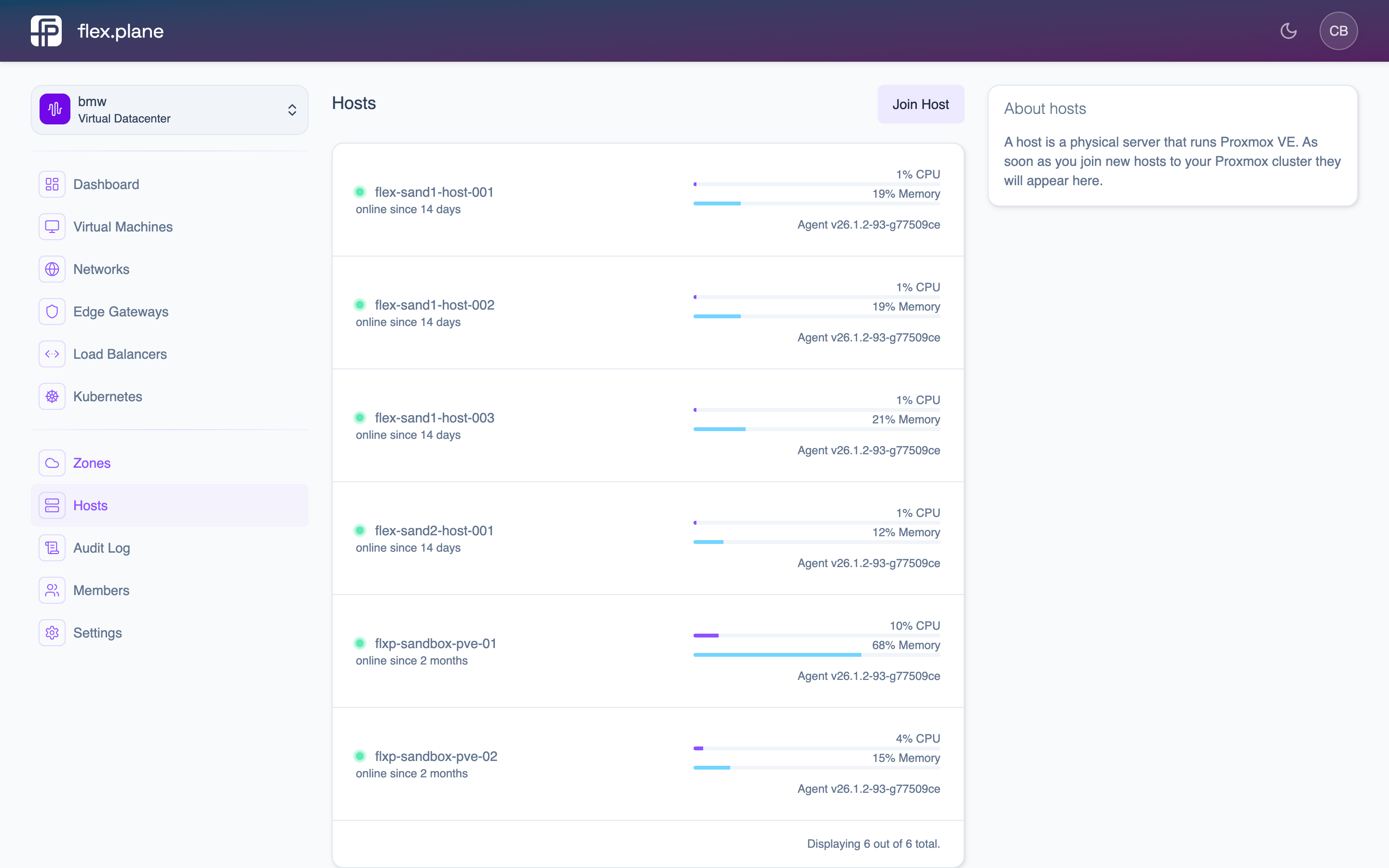 The Hosts page displays all nodes with their status, zone, and agent version.
- Check the zone. Navigate to Platform > Zones. The node should appear in the appropriate zone based on its Proxmox cluster membership.
- Test VM operations. Try listing VMs on the new host. If the agent is correctly proxying the Proxmox API, VMs will appear in the portal.
Updating the agent
The agent supports self-updates. From the portal, navigate to Platform > Hosts, find the host with an available update, and click Update. See Update Agents for details.
The agent downloads the new version, replaces itself, and restarts automatically.