

Zones and Hosts
flex.plane organizes your physical infrastructure into a two-level hierarchy: zones contain hosts. This model maps naturally to how Proxmox clusters are deployed across locations, whether that's a single data center or a multi-site deployment spanning multiple geographies.
Understand zones
A zone represents a Proxmox cluster. If you have one Proxmox cluster in Frankfurt and another in Helsinki, you have two zones. Zones are the primary unit of geographic and failure domain separation.
Zones are discovered automatically. When you install the agent on a Proxmox node and it joins the mesh network, the orchestrator detects which Proxmox cluster it belongs to and assigns it to the corresponding zone. You do not need to create zones manually.
In the portal, navigate to Platform > Zones to see all registered zones with their hosts and aggregated resource metrics.
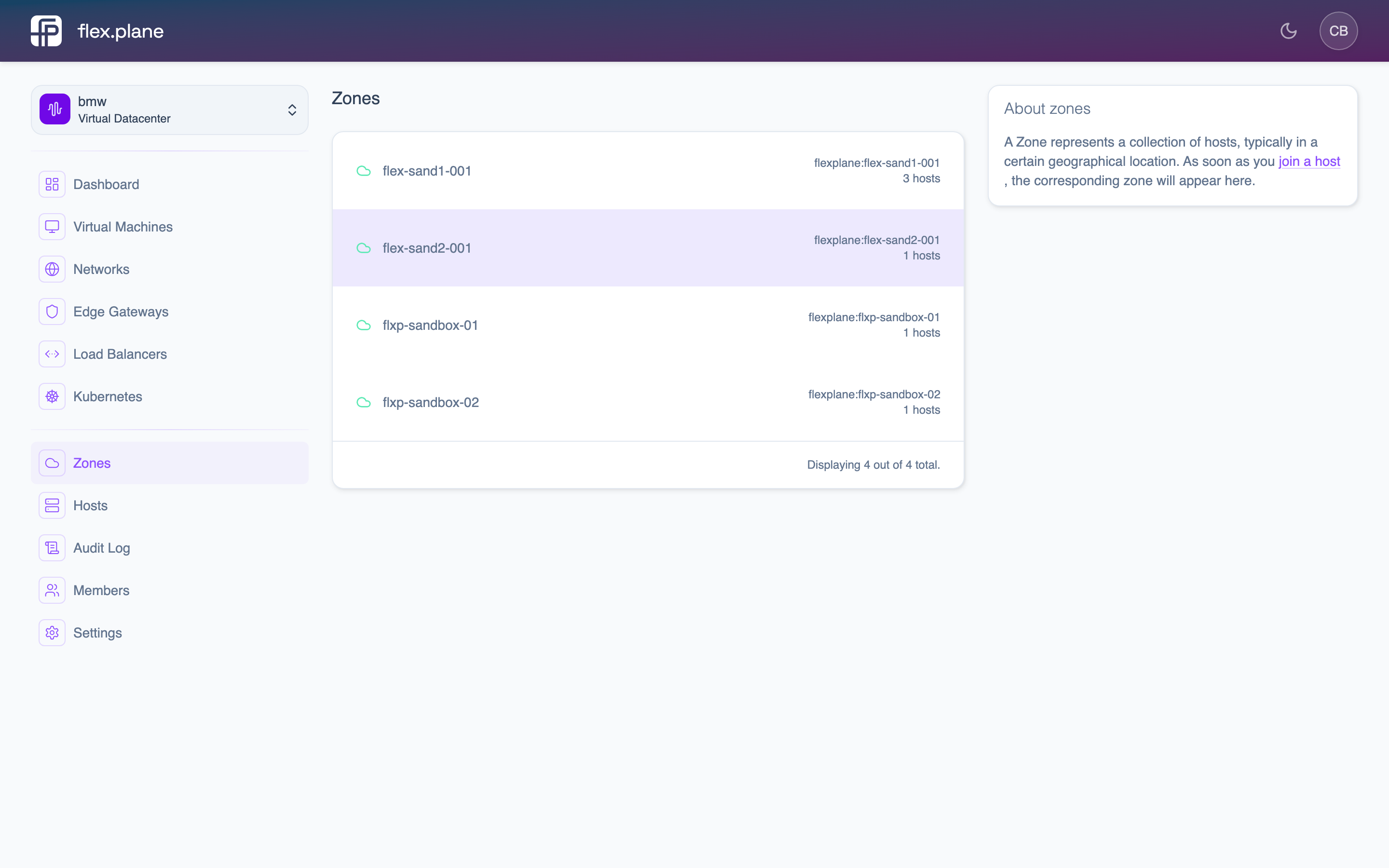 The Zones page shows all registered clusters with their hosts and resource utilization.
Each zone exposes aggregated resource metrics: total CPU, memory, and storage across all hosts in the zone, along with current utilization percentages.
Manage hosts
Hosts are individual Proxmox nodes within a zone. Each host runs the flex.plane agent, which connects it to the mesh network and acts as an authenticating proxy to the local Proxmox API.
View host details
Navigate to Platform > Hosts in the portal to see all nodes across all zones.
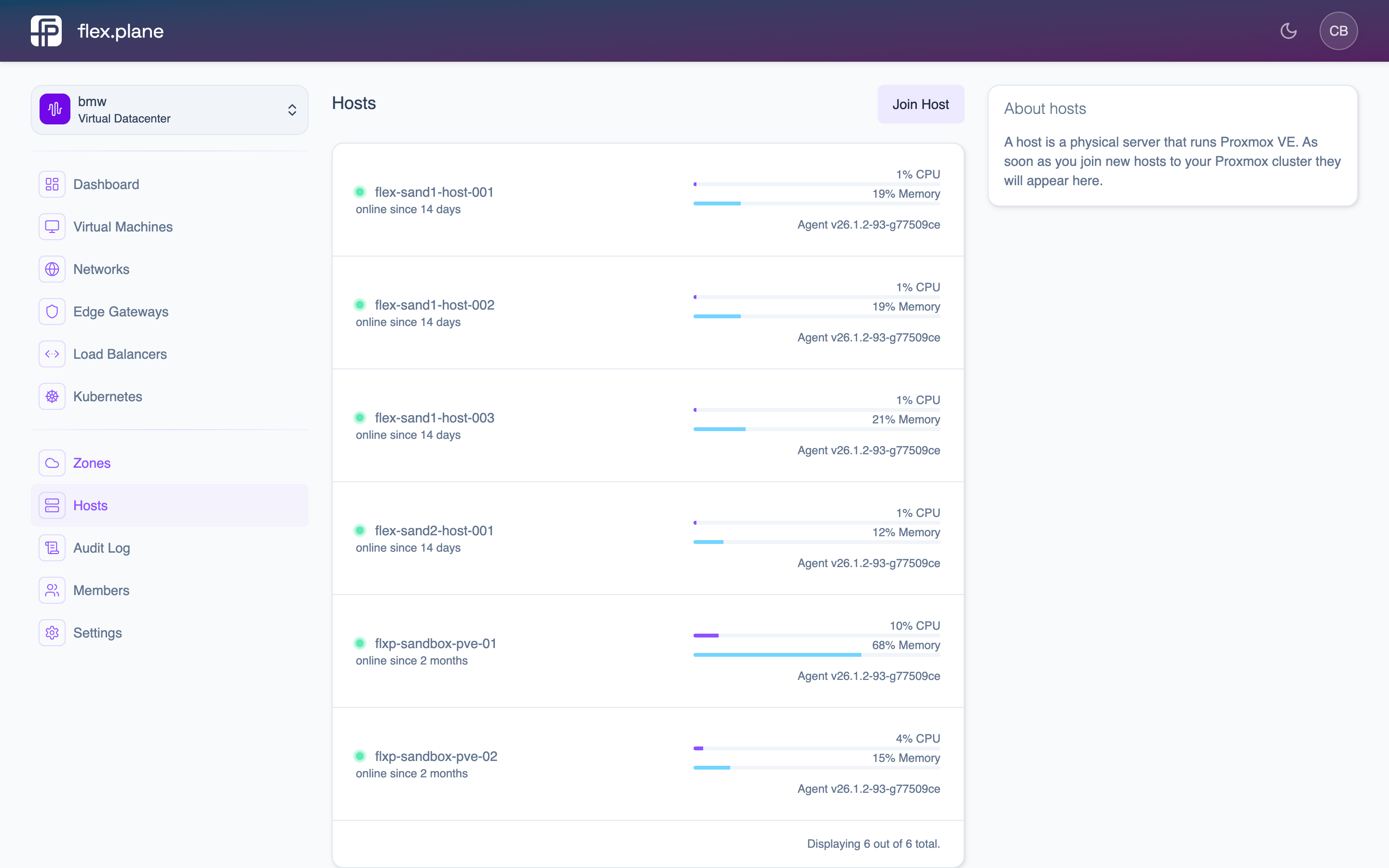 The Hosts page displays all nodes with their status, zone, CPU/memory usage, uptime, and agent version.
The status field reflects the host's connectivity:
| Status | Meaning |
|---|---|
online | Agent is connected and responsive |
offline | Agent is unreachable via the mesh network |
Agent updates
The agent reports its current version and whether updates are available. You can trigger updates remotely from the portal — no need to SSH into each node. See Update Agents for details.
The agent handles the update process itself: downloading the new binary, replacing itself, and restarting. There is no downtime for running VMs during agent updates.
Perform cross-zone operations
Most operations in flex.plane are zone-aware. When you create a VM, you specify which zone it should be placed in. Storage profiles map to zone-specific storage pools. Images are distributed to nodes per zone.
Some operations span zones:
VM migration across zones
You can migrate a VM from a host in one zone to a host in another zone. In the portal, use the Migrate action on the VM's detail page to select a destination host in another zone.
Cross-zone migration transfers the VM's disk data over the network, so it takes longer than intra-zone migration (which uses Proxmox's built-in live migration over the cluster network).
Multi-zone queries
Queries like vms, zones, and hosts aggregate data across all zones by default. The orchestrator fans out requests to every reachable zone and merges the results. The stateless design means the orchestrator queries each zone in real-time, ensuring you always get a complete, accurate picture of your infrastructure.
Virtual Datacenters
Multi-tenant isolation for Proxmox. Per-VDC resource quotas, network separation, and role-based access control let CSPs scope VMs, networks, and storage to teams or customers.
Compute Profiles
Named vCPU and memory combinations that standardize VM sizing. Define profiles like Small, Medium, and Large to simplify provisioning, capacity planning, and billing.